
Expert-recommended exercises to ease digital strain and help you feel better at your desk
Working from home was supposed to make life easier. For many NYC professionals, however, it’s done the opposite—especially when it comes to posture and physical comfort. Working long hours on a laptop, engaging in back-to-back video calls, and setting up improvised home offices have led to a combination of neck stiffness, shoulder tension, and persistent tech neck syndrome.
Even those who work hybrid schedules often find themselves sitting more than they did before. Over time, shoulders round forward, the head drifts toward the screen, and the upper spine stays compressed for hours. What starts as mild stiffness slowly becomes a daily issue. Poor posture affects focus, energy levels, breathing patterns, and even stress. The reality is simple: your posture is either supporting you or quietly working against you throughout the day.
Why Posture Exercises at Home Matter More Than Ever
When movement drops and sitting time increases, the body adapts—often in unhealthy ways. Without regular posture correction exercises, muscles tighten unevenly, joints lose mobility, and the spine absorbs more strain than it should.
Daily posture exercises at home can help:
- Reduce neck and shoulder tension from screen use
- Improve spinal mobility and alignment
- Counteract tech neck and rounded shoulders
- Support better breathing and circulation
- Lower stress levels during long workdays
The good news? These exercises don’t require special equipment or long workout sessions. They’re simple, targeted movements that fit into real schedules.
The positive news is that these patterns aren’t permanent. Simple mobility work and consistent posture correction exercises can reset your alignment and help your body feel more supported throughout the workday…even if your “office” is still your kitchen table.
At Prestige Health & Wellness, we regularly see how effective early intervention can be. Many posture-related issues respond quickly when addressed with consistent movement, awareness, and the right guidance.
How Working From Home Impacts Posture and the Spine
The Hidden Cost of Non-Ergonomic Setups
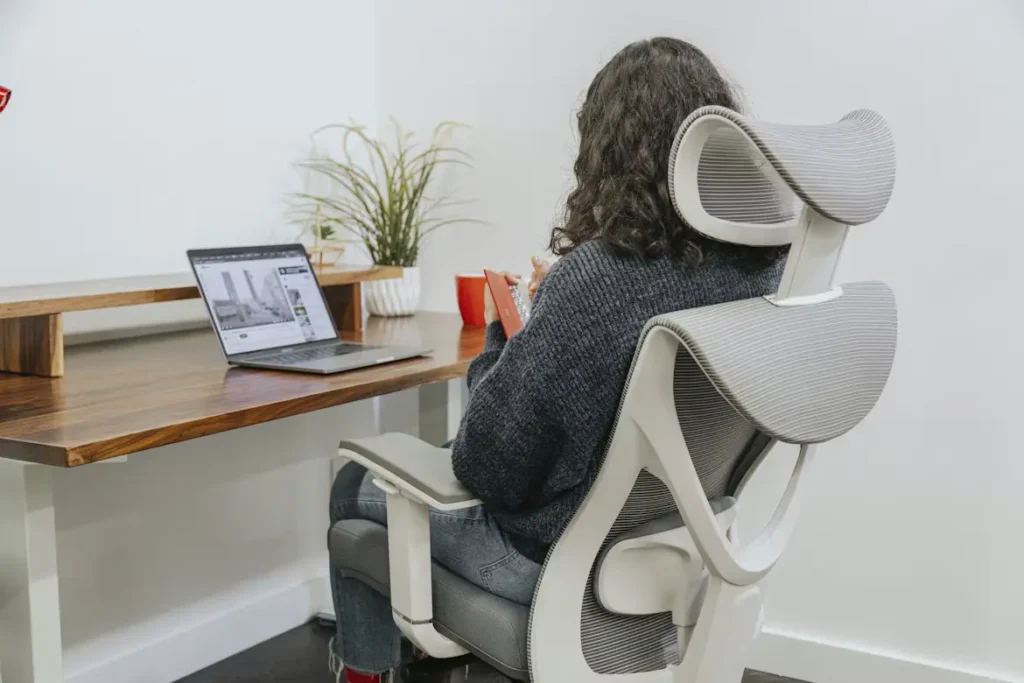
Remote and hybrid work have changed how people use their bodies. Instead of ergonomic chairs and adjustable monitors, many home setups involve dining chairs, couches, or kitchen counters—spaces never designed for full workdays.
Common posture problems we see include:
- Screens are positioned too low, forcing the head forward.
- Chairs that don’t support the lower back
- Rounded shoulders from typing and mouse use
- Prolonged sitting without movement breaks
Over time, these habits shift alignment. The head moves forward, the chest collapses inward, and the upper spine stays flexed. The result is stiffness, fatigue, and discomfort that tend to worsen as the day goes on.
Why the Pain Goes Beyond the Neck
Poor posture doesn’t only affect the neck and shoulders. Holding static positions for hours impacts the entire body:
- Muscles work harder than necessary to keep you upright
- Breathing becomes shallower, increasing tension
- Certain muscles weaken while others overwork
- Mental fatigue increases as the body compensates
This is why posture correction exercises are about more than “standing up straight.” They help reset how your body moves and supports itself throughout the day.
The Role of Posture Exercises at Home in Daily Relief
Consistent posture exercises at home help interrupt these patterns before they become chronic. Even brief movement sessions can restore balance and reduce accumulated strain.
Benefits of regular posture exercises include:
- Easier neck and shoulder movement
- Less mid-back and low-back tension
- Improved sitting and standing posture
- Better comfort during long workdays
These exercises are especially useful for:
- Remote and hybrid professionals
- People with tech neck or desk-related pain
- Anyone spending long hours seated
- Individuals looking for non-invasive posture support
11 Posture Exercises at Home to Reduce Desk-Related Pain
The following posture exercises at home are designed to fit into a busy workday. They don’t require equipment, much space, or long sessions. When practiced consistently, they help counteract the strain caused by prolonged sitting and screen use.
1. Chin-to-Chest Stretch
This is one of the simplest and most effective exercises for easing tech neck.
Lower your chin slowly toward your chest while sitting upright. Hold the position for 20–30 seconds, breathing steadily.
Benefits:
- Decompresses the back of the neck
- Relieves tension in the upper spine
- Helps reset head position after screen use
You should feel a gentle stretch—not discomfort—along the back of the neck.
2. Shoulder Rolls
Shoulder rolls help release tension that builds up during long periods of typing and mouse use.
Lift your shoulders toward your ears, then roll them back and down in a smooth, controlled motion. Repeat 10 times.
Why it helps:
- Improves circulation in the upper back
- Reduces shoulder stiffness
- Encourages a more open chest posture
This is one of the easiest exercises for better posture to incorporate between meetings.
3. Wall Angels
Wall angels strengthen the muscles responsible for pulling the shoulders back.
Stand with your back against a wall and your feet slightly forward. With your arms bent at 90 degrees, slide your arms upward and downward along the wall, as if making snow angels.
Key benefits:
- Improves upper-back strength
- Supports shoulder alignment
- Counteracts rounded posture
4. Cat-Cow Mobilization
This movement restores spinal mobility lost during long static positions.
Start on all fours. Slowly arch your spine (cow), then round it (cat), moving with your breath. Repeat for 8–10 cycles.
Why it’s effective:
- Improves full-spine mobility
- Reduces stiffness in the mid and lower back
- Supports postural restoration
Many people notice relief after consistent practice.
5. Tummy Time Reset
Lie on your stomach and prop yourself up on your forearms. Stay here for 2–3 minutes while breathing deeply.
How it helps:
- Reverses prolonged forward flexion
- Encourages gentle spinal extension
- Relieves pressure from long sitting sessions
This is especially useful for those experiencing early signs of disc compression.
6. Seated Spinal Twist
Sit tall in your chair and relax your shoulders. Place one hand on the opposite knee and gently rotate your torso. Hold for a few breaths, then switch sides.
Benefits include:
- Improved mid-back mobility
- Reduced stiffness from prolonged sitting
- Better rotational movement
7. Chin Tucks for Cervical Alignment
Sit comfortably and gently guide your head straight back, creating a subtle “double chin.” Hold for a few seconds, then relax. Repeat several times.
Why it matters:
- Activates deep neck stabilizers
- Helps prevent forward head posture
- Supports long-term neck alignment
8. Upper Trapezius Stretch
Tilt your head toward one shoulder, using your hand for light assistance. Hold for 20–30 seconds, then switch sides.
Targets:
- Upper trapezius muscles
- Common tension points in desk workers
9. Doorway Chest Stretch
Place your forearms on a doorway with elbows bent at 90 degrees. Gently lean forward until you feel a stretch across the chest.
This stretch helps:
- Open tight chest muscles
- Reduce shoulder rounding
- Improve overall posture
10. Hip Flexor Stretch
Step one foot forward into a gentle lunge position. Shift your weight forward until you feel a stretch at the front of the hip on the back leg.
Why it’s important:
- Sitting shortens hip flexors
- Tight hips affect spinal alignment
- Supports posture from the ground up
11. Diaphragmatic Breathing and Mindfulness Breaks
Place one hand on your chest and the other on your abdomen. Breathe deeply through your nose and exhale slowly.
Benefits include:
- Reduced stress levels
- Improved breathing patterns
- Better posture awareness
This is an excellent complement to posture exercises at home.
How Often Should You Do Posture Exercises at Home?
Consistency matters more than intensity. Most hybrid workers benefit from the following:
- 3–5 minutes of movement every hour
- One short posture routine daily
- Micro-breaks between calls
- 10–15 minutes of evening stretching
These movements also work well as posture exercises for seniors, highlighting how accessible and adaptable they are.
When Exercises Aren’t Enough
If you experience the following, professional support may be helpful:
- Persistent neck or shoulder pain
- Tingling or numbness in the arms
- Headaches linked to screen use
- Stiffness that doesn’t improve with movement
- Pain that worsens throughout the workday
How Prestige Health & Wellness Supports NYC Professionals
At Prestige Health & Wellness, we help NYC professionals address posture-related pain through physical therapy, chiropractic care, ergonomic guidance, and personalized exercise plans. Our goal is to treat the root cause—not just the symptoms—so you can work and move more comfortably.
If screen time is taking a toll on your body, the right combination of posture exercises and professional care can make a meaningful difference.
Book a consultation today and take the next step toward better posture and daily comfort.